Showing posts with label Antivirus. Show all posts

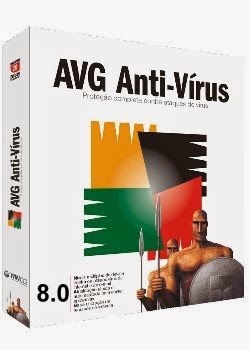
Anti-Virus Guard (AVG) is a family of anti-virus and Internet security software for the Microsoft WindowsLinuxMac OS X, and FreeBSD computing platforms, developed by AVG Technologies, a publicly traded Czech company formerly known as Grisoft.
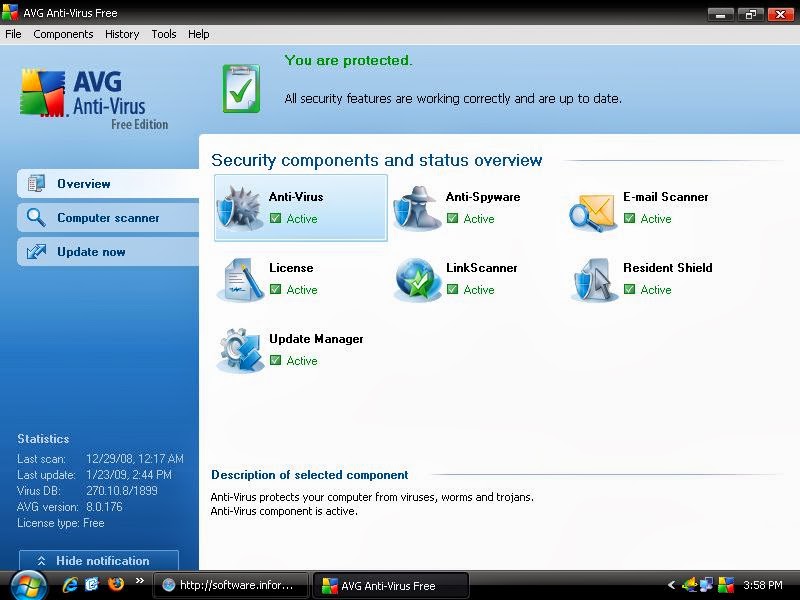
  • AVG Anti-Virus Free Edition provides basic, Anti-Virus and Anti-Spyware protection, plus the full AVG LinkScanner safe search and surf technology. There are some limitations with AVG Anti-Virus Free Edition compared to the commercial versions of AVG products and other free antivirus. These limitations include:
    • Less protection – AVG Anti-Virus Free Edition provides the same anti-virus and anti-spyware scanning engine as the commercial product; however, it lacked anti-rootkit protection until 2010. The older 7.5 Free Edition is perfectly capable of finding and disabling rootkits based on signatures, but cannot scan for rootkit-like activity. The 8.5 version of AVG Anti-Virus Free Edition version lacks any anti-rootkit capability. While there is no official protection for files from messaging sources, the Resident Shield component automatically scans files before they are opened or copied.
    • Infrequent updates – AVG Anti-Virus Free Edition receives updates via a lower priority service. Priority updating via high-speed servers is only available for the commercial versions of AVG products.
    • No telephone or e-mail technical support – There is no telephone or e-mail technical support provided by AVG for users of AVG Free Edition products anywhere in the world. AVG Free Edition users have access to support via the self-help AVG Free Forum.[7]
    • Less customization – Scheduling options in AVG Anti-Virus Free Edition are very limited (only one scheduled update per day). However, the AVG Resident Shield configuration allows exclusions. The on-demand/scheduled scanner allows advanced testing options such as heuristics and reporting of password-protected archives reporting. Process priority for on-demand/scheduled scans can be dynamically adjusted over three different configurations.
    • No server support – AVG Anti-Virus Free Edition cannot be installed on server operating systems (such as Windows Server 2003), nor can it be used for the scanning of network drives. Note, the newer AVG 2011 free edition can be installed on Server operating systems like Windows Server R2.
    • AVG Anti-Virus Free Edition is only licensed for home and non-commercial use on a single computer.

      THE PASSWORD IS hatimk20.blogspot.com


Click Here To Download


Picture


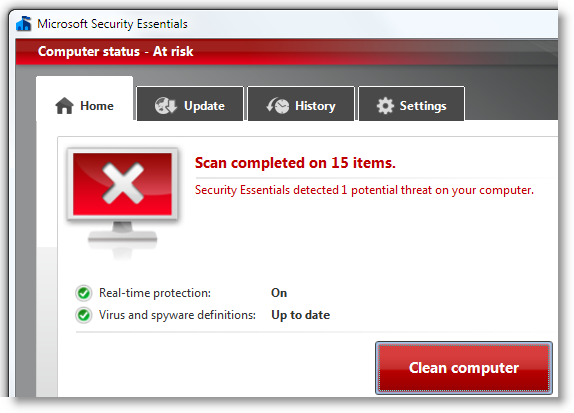
Microsoft Security Essentials (MSE) is an antivirus software (AV) product that provides protection against different types of malwaresuch as computer virusesspywarerootkits and Trojan horses. It runs on Windows XPWindows Vista and Windows 7, but not on Windows 8, which has a built-in AV component. The license agreement allows home users and small businesses to install and use the product free of charge. It replaces Windows Live OneCare, a discontinued commercial subscription-based AV service, and the free Windows Defender, which until Windows 8 only protected users from adware and spyware.

Features

Microsoft Security Essentials is an antivirus software (AV) product that fights malware (malicious software), including computer viruses,spywareTrojan horses and rootkits. The software runs on Windows XPWindows Vista and Windows 7.[6][7] It replaces Windows Live OneCare, a discontinued commercial subscription-based AV service, and the free Windows Defender, which until Windows 8 only protected users from adware and spyware. It automatically checks for and downloads the virus definitions it relies on from Microsoft Update, a web-based software service updated three times a day.[8] Users may alternatively download the updates manually from the Microsoft Security Portal website.[3] On 30 September 2011, a faulty definition update caused the product to incorrectly tag Google Chrome as malware. The issue was resolved within three hours.[9][10]
MSE is built upon the same foundation as other Microsoft security products; all use the same virus definitions and anti-malware engine, known as Microsoft Malware Protection Engine (MSMPENG).[11][12] It lacks the personal firewall of OneCare or the centralized management features of Forefront Endpoint Protection.[13]
MSE provides real-time protection, constantly monitoring activities on the computer and scanning new files as they are downloaded or created.[14] It disables detected threats and prompts for user input on how to deal with them. If no response is received within ten minutes, suspected threats are handled according to the default actions defined in the application's settings. Depending on those settings, it may also create System Restore checkpoints before removing the detected malware.[14] As a part of real-time protection, by default, MSE reports all suspicious behaviors of monitored programs to Microsoft Active Protection Service (MAPS, originally Microsoft SpyNet[15]), a web-based service. If the report matches a newly discovered malware threat with an unreleased virus definition, the new definition is downloaded to remove the threat.[16]
Hardware requirements for the product depend on the operating system. On a computer with Windows XP, it requires at least a 500 MHzprocessor and 256 MB of RAM. On a system running Windows Vista or Windows 7, it requires a 1 GHz processor and 1 GB of RAM. It also needs a computer monitor with a display resolution of at least 800 × 600 pixels, 200 MB of free hard disk space and an Internet [7]
connection.

Click Here To Download